Best Home Security Cameras Without a Subscription in 2026: What Actually Works After Two Years of Testing
Monthly fees for cloud storage turned home security into a recurring bill most families never planned for. Ring charges $100 a year per camera. Nest wants $80. Arlo asks for $130. Multiply that by four cameras covering a typical property, and a family spends more on subscriptions in three years than the cameras cost. A four-camera Ring setup runs roughly $400 per year in subscriptions alone, totaling $2,000 over five years before a single piece of hardware needs replacing.
There is another way. Several manufacturers now build cameras that record locally to an SD card, a network drive, or a dedicated recorder without sending a single frame to someone else’s server. No monthly payments. No price hikes. No company holding your footage hostage behind a paywall. In 2026, the gap between subscription-free cameras and cloud-dependent ones has narrowed to the point where local-storage systems often outperform the big names in image quality, reliability, and total cost of ownership.
Local Storage and Privacy: Two Problems Solved at Once
When a camera records to a cloud server, every clip passes through a third-party data center. Breaches happen. In 2023, Ring settled a $5.8 million FTC complaint over employees accessing customer video without consent. Eufy faced scrutiny when researchers discovered unencrypted thumbnails on remote servers despite marketing “local-only” storage. These are structural risks inherent to any system that routes private footage through external infrastructure.
Cameras that record to a local NVR or NAS keep footage on hardware the homeowner physically controls. No internet outage disables recording. No corporate policy change deletes old clips. The footage exists on a hard drive in a closet, accessible only to people with physical or network access to that device. For families with children, elderly parents, or home offices handling sensitive information, this distinction matters more than any resolution spec on a product page.
Privacy regulations are tightening as well. Several states now require explicit consent notices for cloud-connected cameras that may capture footage of visitors, delivery personnel, and passersby. Local-only systems sidestep most of these requirements because the footage never leaves the property. This legal simplicity is an underappreciated advantage for homeowners in densely populated neighborhoods.
Understanding Recording Methods: NVR, NAS, and SD Cards
MicroSD card recording is the simplest option. The camera writes directly to a small card inserted into the camera body. Capacity maxes out at 256 GB, providing three to seven days of continuous 4K recording depending on compression. The advantages are simplicity and low cost. The drawbacks are limited capacity and the inconvenience of physically removing the card if connectivity drops.
NVR (Network Video Recorder) systems use a dedicated box that receives video streams from all cameras and records them to internal hard drives. Capacity scales from 2 TB to 16 TB, providing weeks or months of recording across multiple cameras. NVRs centralize storage, simplify management, and provide timeline-based playback across all cameras simultaneously. Cost ranges from $100 for a basic four-channel unit to $400 for eight-to-sixteen-channel models with AI processing.
NAS (Network-Attached Storage) recording uses a device like a Synology or QNAP NAS running surveillance software. Synology Surveillance Station includes two free camera licenses, with additional licenses costing $50 each one-time. A NAS provides the most flexible storage management and integration options, but requires more networking knowledge to set up and maintain.
Ubiquiti UniFi Protect: The Engineer’s Choice
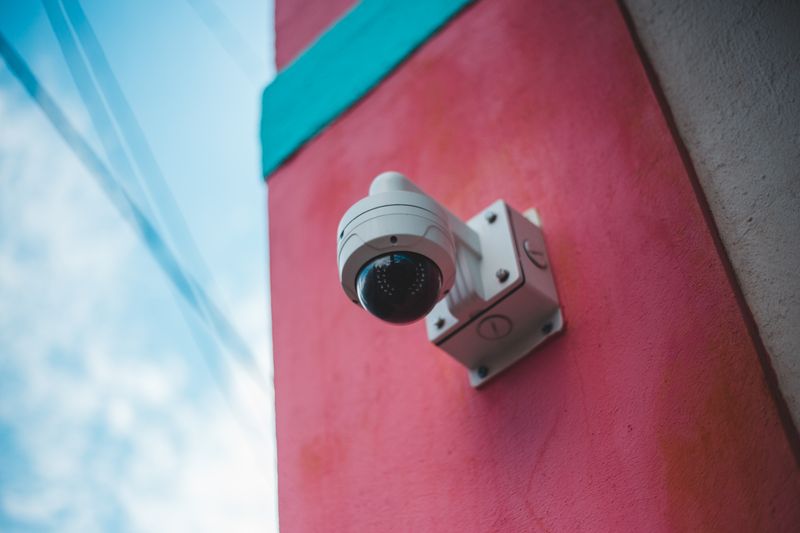
UniFi Protect runs on Ubiquiti’s own hardware: a Cloud Key Gen2 Plus or Dream Machine Pro. The system records continuously to an internal hard drive with zero subscription fees. Resolution reaches 4K. AI detection distinguishes people from animals from vehicles without cloud processing, running all analysis on the local hardware.
The interface is clean, responsive, and runs entirely on the local network. Remote access works through Ubiquiti’s relay servers for the connection handshake, but video streams pull directly from the home network when possible. This hybrid approach gives homeowners the convenience of checking cameras from a phone while keeping footage processing completely local.
Installation requires Power over Ethernet cabling, where a single cable carries both data and power to each camera. This means running cable through walls and attics. It is not a weekend project for most homeowners. But the result is a system that works reliably for years without WiFi interference, battery replacements, or signal drops during heavy rain. PoE cameras restart automatically after power outages and maintain stable, high-bandwidth connections that WiFi cannot match.
The camera lineup covers every use case. The G4 Bullet handles outdoor surveillance with excellent night vision. The G4 Dome provides vandal-resistant coverage in areas where cameras might be tampered with. The G4 Pro delivers 4K with optical zoom for large areas. The G5 Turret introduced improved AI with package recognition and facial grouping that automatically tags recurring visitors.
Professional installation typically runs $200 to $400 per camera including cabling. A four-camera system with a Dream Machine Pro costs roughly $1,800 to $2,500 fully installed. After that, the ongoing cost is about $3 a month in electricity. Compare that to $400 per year in cloud subscriptions, and the local NVR system pays for itself within two years.
Reolink: Budget-Friendly Without the Compromise
Reolink cameras record to microSD cards or to Reolink’s own NVR units with zero subscription fees. The company also offers a free basic cloud plan with 1 GB storage for clip backups. The RLC-810A delivers 4K with person and vehicle detection for under $60. The RLC-1212A pushes 12 megapixels, enough to read a license plate from 30 feet. Both use PoE, and Reolink NVR units handle 8 or 16 cameras with built-in hard drive bays. For wireless options, the Argus 4 Pro combines solar power with dual-band WiFi and 4K recording to an SD card, ideal for detached sheds, side gates, and rural property boundaries.
Image quality in daylight rivals cameras costing three times as much. Night vision uses infrared LEDs that illuminate up to 100 feet. Color night vision models add a motion-triggered spotlight, effective for driveways and walkways. The spotlight also serves as a deterrent, discouraging would-be intruders who prefer darkness.
The Reolink app works well for checking live feeds and reviewing clips. It lacks the polish of UniFi Protect but handles the essentials reliably. A complete four-camera NVR kit starts at approximately $350 with a pre-installed 2 TB hard drive. The per-camera cost comes out to under $90 including its share of the NVR and storage.
TP-Link VIGI and Tapo: The Overlooked Contender
TP-Link runs two camera lines. Tapo targets consumers with WiFi cameras recording to microSD cards. VIGI targets businesses with PoE cameras and NVR recording. Both operate without subscriptions.
The VIGI C340HP offers 4MP resolution, color night vision, and IP67 weatherproofing for under $50. The VIGI NVR1008H handles eight cameras and a 10 TB hard drive for about $80. A complete four-camera system runs under $400 before installation. TP-Link cameras support ONVIF, meaning they work with third-party NVR software like Blue Iris, Synology Surveillance Station, or Home Assistant. This open-standard support future-proofs the investment: even if TP-Link discontinues the VIGI line, the cameras continue working with any ONVIF-compatible platform.
The Tapo C225 provides pan-and-tilt coverage with AI person detection and records to a microSD card without subscription. At $40, it is the least expensive way to add intelligent indoor monitoring to a nursery, home office, or entryway.
What About Eufy? A Cautionary Note
Eufy marketed itself as the privacy-first camera brand, storing everything locally on a HomeBase unit. Then researchers discovered camera thumbnails were being uploaded to AWS servers, unencrypted, even when users disabled cloud features. Anker initially denied the findings before quietly patching the behavior months later. The cameras work and the hardware is decent, but the trust problem lingers for families specifically choosing local cameras to avoid cloud exposure.
Amcrest: The Quietly Reliable Option
Amcrest cameras use standard ONVIF and RTSP protocols, making them compatible with virtually any recording platform. The IP8M-2796E delivers 4K with person and vehicle detection for under $80. The metal housing survives extreme weather, and the camera supports both PoE and 12V DC power. Their open protocol support and lack of cloud dependency make them a favorite for homeowners who want complete control over their surveillance infrastructure.
Choosing the Right System: A Decision Framework
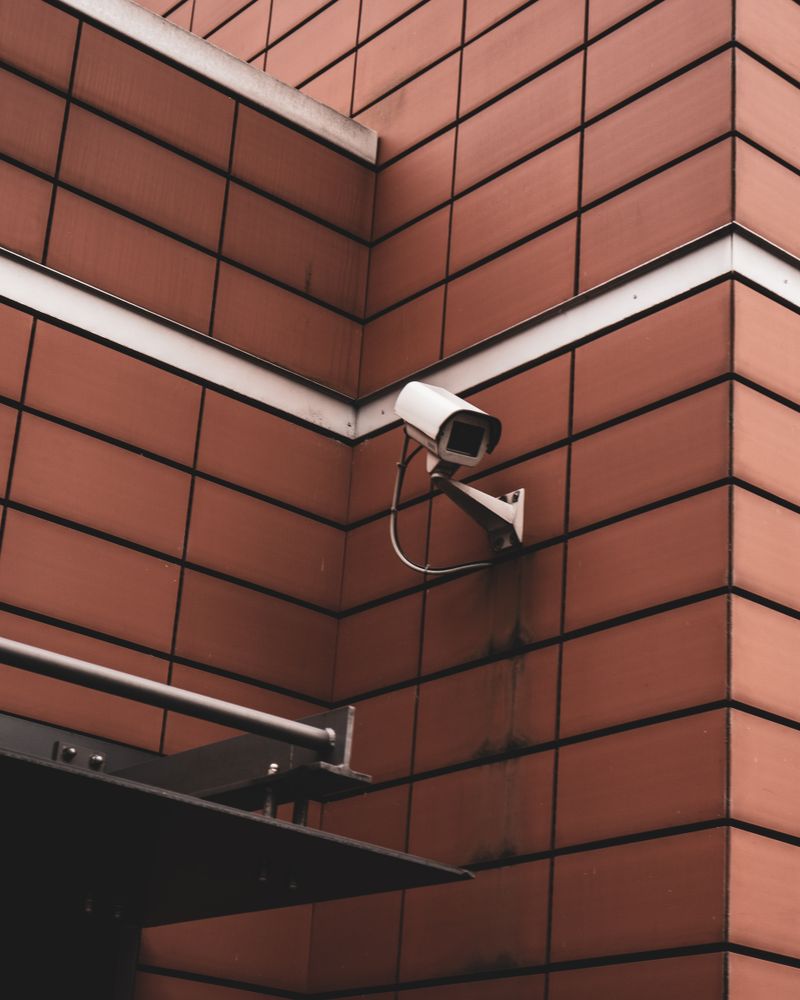
The right camera system depends on three factors: budget, technical comfort, and long-term plans.
Budget under $500: Reolink NVR kit with four cameras. Reliable, good image quality, no subscription. A homeowner comfortable with basic networking can set this up in a day.
Budget $1,500 to $3,000: UniFi Protect with a Dream Machine Pro. Superior app experience, seamless integration with UniFi networking gear, enterprise-grade reliability.
Already have a Synology NAS: Add ONVIF cameras and run Synology Surveillance Station. Two licenses free, additional at $50 each one-time.
Maximum flexibility: Home Assistant with any ONVIF or RTSP camera. The Frigate NVR add-on runs real-time AI detection using a Google Coral USB accelerator, identifying people, vehicles, animals, and packages with remarkable accuracy.
Every option above eliminates monthly fees permanently. A family spending $400 annually on Ring subscriptions recovers $2,000 over five years, enough to fund a complete professional-grade local system with money to spare.
Camera Placement: Where Position Beats Price
A $60 camera in the right position outperforms a $300 camera in the wrong one. Height, angle, field of view, backlighting, and infrared reflection determine whether a system captures useful evidence or blurry shapes.
- Height: Mount at 8 to 10 feet. Lower captures better facial detail but is easier to tamper with. Eight feet is the compromise that works for most residential applications.
- Angle: Aim 15 to 30 degrees below horizontal. Straight out captures sky, too far down creates blind spots beyond 15 feet.
- Coverage overlap: Position cameras so their fields of view overlap at entry points. A person walking to the front door should appear on at least two cameras.
- Backlighting: Avoid aiming directly at sunrise or sunset direction. The glare turns approaching people into silhouettes.
- Infrared reflection: IR night vision LEDs bounce off light-colored walls within a few feet. Angle cameras away from white soffits to prevent IR glare.
Network and Installation Considerations
A single 4K camera generates 8 to 16 Mbps. Four cameras produce 32 to 64 Mbps of sustained internal traffic. PoE cameras avoid wireless congestion entirely because they use dedicated Ethernet connections that never compete for bandwidth, never drop due to interference, and never need battery changes.
For homes where running cable is impractical, dedicating a separate WiFi access point to cameras keeps surveillance traffic isolated from household internet usage.
PoE systems require cable runs from each camera to a central switch or NVR. In existing homes, this means fishing cable through finished walls, drilling through studs, and weatherproofing exterior penetrations. A professional security camera installation accounts for cable management, optimal placement, network configuration, and remote access setup. The cameras work from day one without troubleshooting.
Long-Term Maintenance
Hard drives in NVR units last five to seven years for surveillance-rated drives like Western Digital Purple or Seagate SkyHawk. Replacing a drive costs $60 to $100 and takes ten minutes. Setting a calendar reminder to check drive health annually prevents unexpected failures.
Firmware updates should be applied as available, particularly security patches. Ubiquiti and Reolink provide over-the-air updates through their management interfaces. ONVIF cameras from Amcrest and TP-Link require manual firmware downloads from the manufacturer website.
Modern IP cameras with no moving parts typically operate eight to ten years outdoors. The most common failure point is the PoE switch, not the camera. Upgrading individual cameras is painless with any system using standard PoE and ONVIF: swap the camera, mount it in the same location using the same cable. The cabling infrastructure lasts decades, making the initial installation the most durable part of the entire system.